Windows 11: Connecting to eduroam on Campus
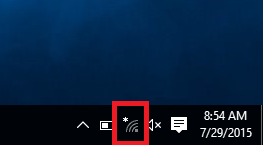
1. Select the Wi-Fi button at the bottom right hand corner of the screen.
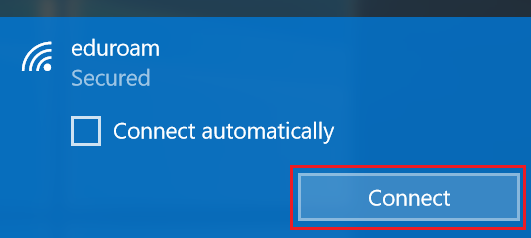
2. Select eduroam in the menu and click Connect.
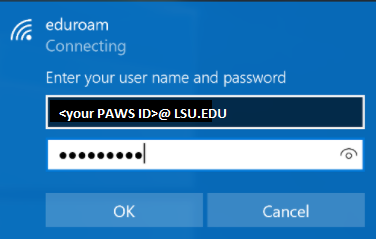
3. If prompted, enter your full LSU email ( [user]@lsu.edu ) as username, and your myLSU password.
Troubleshooting
First, try entering your password slowly and watch the keys as you type it. If you are still having issues, please see the following articles:
If you are still unable to connect or need assistance, please contact the Service Desk at 225.578.3375 or email servicedesk@lsu.edu. Personal assistance is also available at LSU Library Information Commons Help Desk and Frey Computing Services Center Service Desk.
17813
8/31/2026 2:11:58 PM